
Operator Dashboard Overview of commonly used functions.
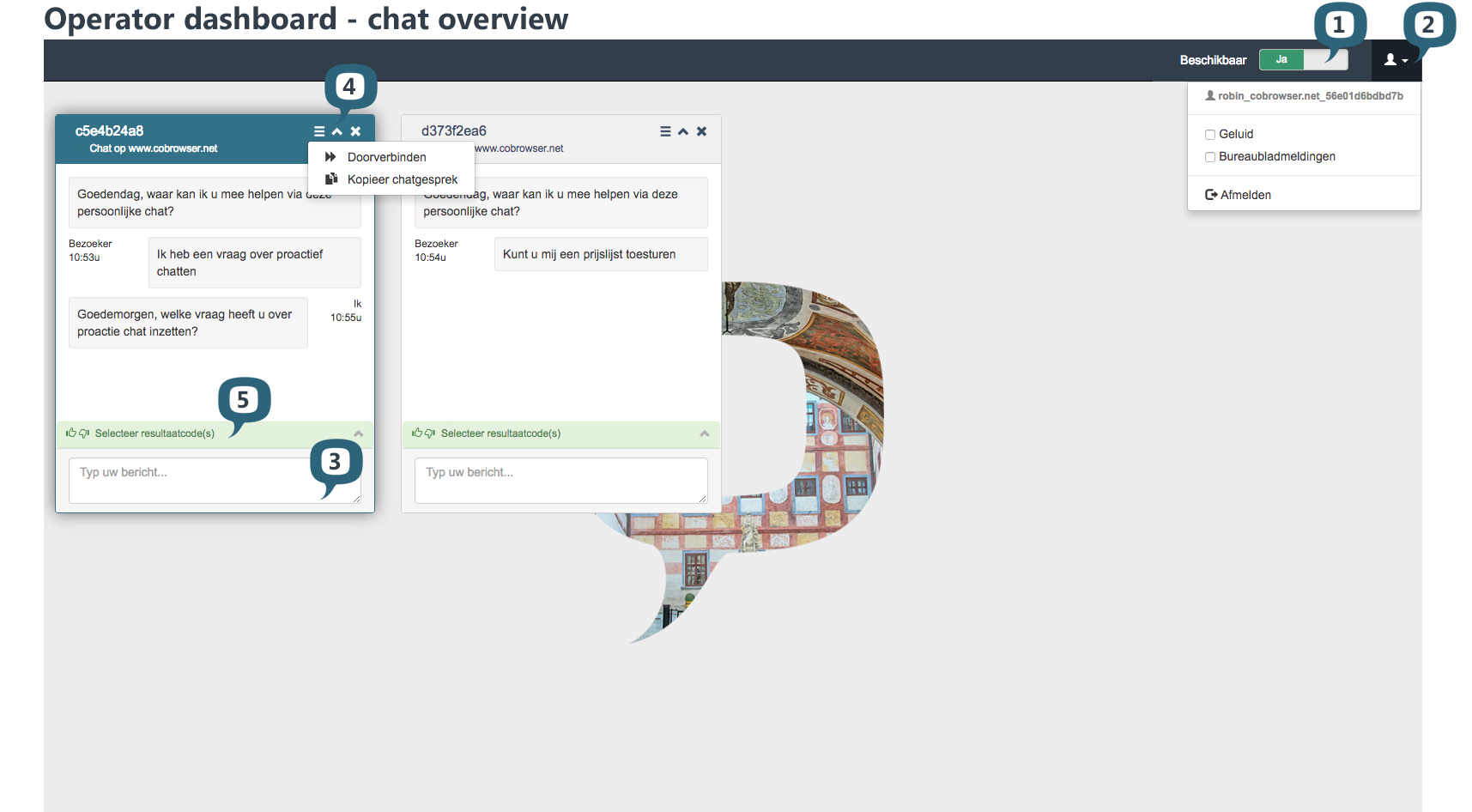
- Availability –Yes / No
- Account options:
- Sounds notifications
- Desktop notifications
- Sign out - Your text entry
Type your text to the visitor. On enter it will sent the text to your visitor - Options
- Transfer chat and Copy chat transcript
- details view
- closing chat
 - Result codes
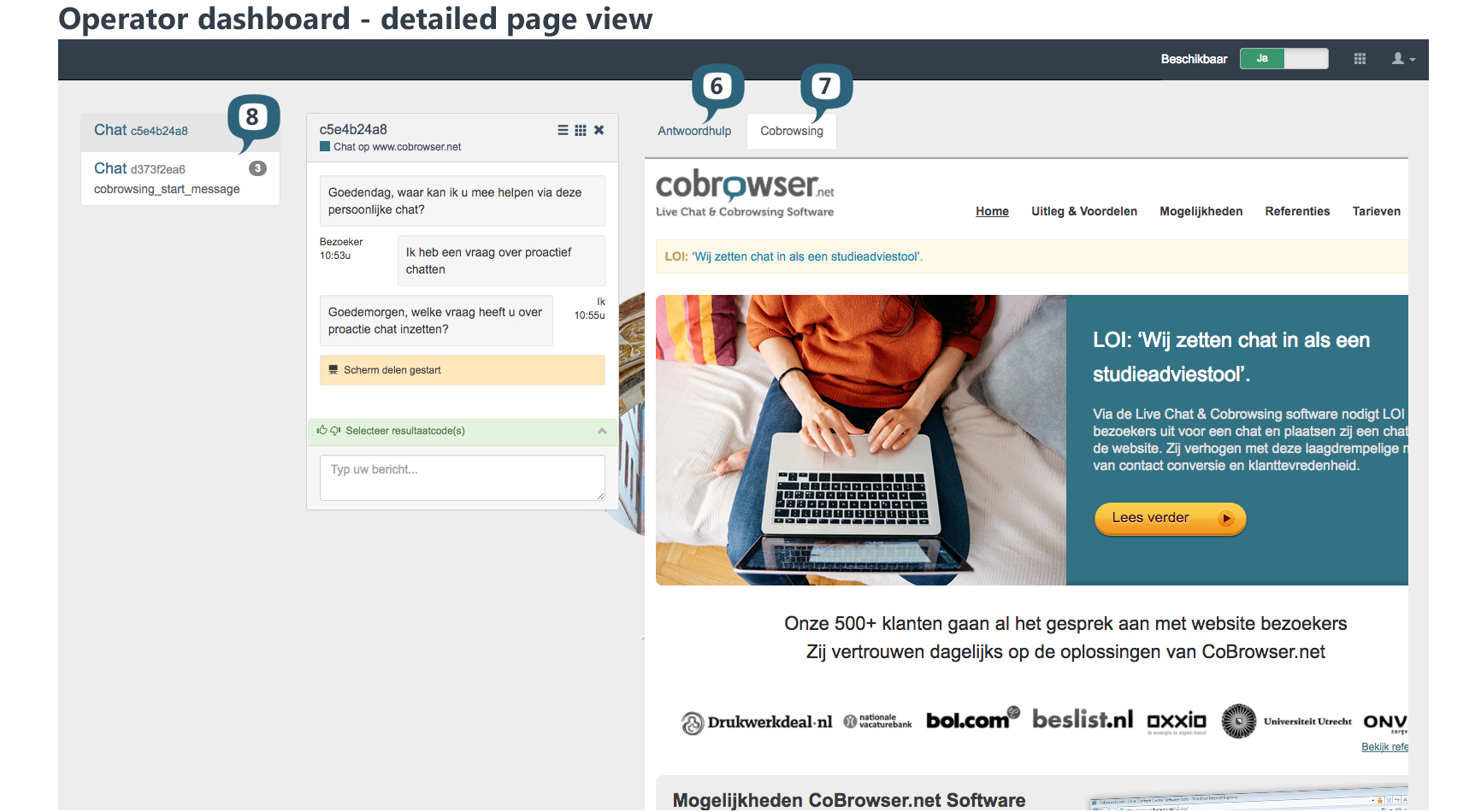
- Canned responses
When enabled, canned responses will be shown. - Cobrowsing When enabled, cobrowsing screen will be shown.
- Chat overview
All open chats.
Desktop Notifications
In the account options panel you can enable/disable Sounds and Desktop notifications by clicking those options checkboxes.
- Sounds will allow you to listen a sound whenever a new chat starts or whenever a new chat messages arrives to the conversation.
- Desktop notifications will display a popup in the system whenever a new chat start and with any new chat message.
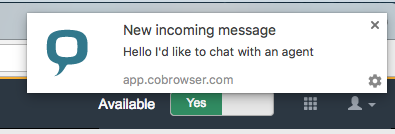
These two options are disabled by default. However the system will remember your settings for next logins.
Note: these options are saved in your browser local storage. So if you login with your account in a different computer or browser the options will be again unchecked. The same goes if you login with your account in a browser that does not support local storage. These options will be cleared every time your browser local storage is cleared.
Attachments below in high resolution and PDF:
Comments
0 comments
Please sign in to leave a comment.