
In each campaign we offer you the possibility to change the CSS settings of the Cobrowser live chat. In the ‘general’ settings of each campaign you can see the ‘Custom CSS field’ at the chat window settings.
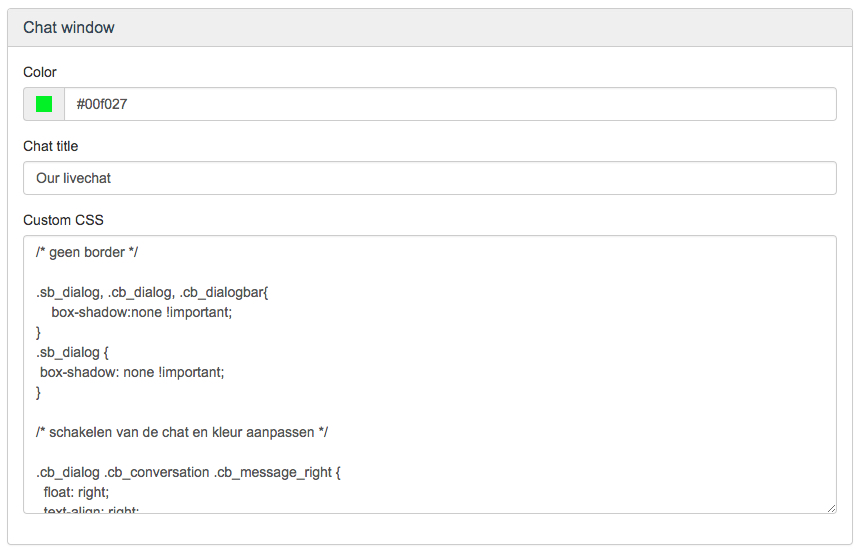
You can adjust a lot of CSS settings. For example to change round corners or sharp edges at your chat window. Shadow settings. Font size and color. Pre-chat button settings. Position of the customer text and / or the operator text and much, much more. Here we provide you with a few examples which are used by our customers.
CSS Examples
/* No shadow border */
.sb_dialog, .cb_dialog, .cb_dialogbar{
box-shadow:none !important;
}
.sb_dialog {
box-shadow: none !important;
}
/* Alignment display operator text left and customer text right, adjust background color of the text field */
.cb_dialog .cb_conversation .cb_message_right {
float: right;
text-align: right;
padding-left: 20px;
}
.cb_dialog .cb_message_right .cb_messagecontent {
background-color: #EFEFEF;
}
.cb_dialog .cb_conversation .cb_message_left {
float: left !important;
padding-right: 20px !important;
}
.cb_dialog .cb_message_left .cb_messagecontent {
background-color: ##F6F6F6;
}
/* Smaller border shadow */
.cb_dialog, .sb_dialog {
box-shadow: 0 0 20px 0 rgba(0,0,0,.6) !important;
-webkit-box-shadow: 0 0 20px 0 #333;
-moz-box-shadow: 0 0 20px 0 #333;
}
/* No border shadow and different outline color */
.sb_dialog, .cb_dialog, .cb_dialogbar{
box-shadow:none !important;
border-left: 2px solid #fff !important;
border-right: 2px solid #fff !important;
border-top: 2px solid #fff !important;
}
.sb_dialog {
box-shadow: none !important;
border-left: 2px solid #fff !important;
border-right: 2px solid #fff !important;
border-top: 2px solid #fff !important;
}
/* Adjust font size of the chatbutton */
.sb_dialog .sb_dialogbartitle {
font-size: 12px !important;
}
/* Adjust font size of the chat window titel */
.cb_dialog .cb_dialogbartitle {
font-size: 12px !important; }
/* profile pucture square, default is rounded*/
.img-circle {
border-radius: 0;
}
/* change color of background icons close and open */
.sb_dialog .sb_dialogminmax {
background-color: #333 !important;
}
.cb_dialog .cb_dialogclose {
background-color: #333 !important;
}
.cb_dialog . cb_dialogminmax {
background-color: #333 !important;
}
Your IT employer should be able to change your CSS wishes accordingly. However if you need any assistance on CSS, do not hesitate to contact us.
Comments
0 comments
Please sign in to leave a comment.