
In order to upload a profile image, please note the following guidelines and constraints:
- The format should be PNG or JPG.
- The resolution should be equal or more than 300 x 300 pixels. If it has less resolution or one the side is longer than the other our system will crop it to adjust it to the desired size.
- On your website the icon is shown 50 x 50 pixels in the chat window on the left side (example 1).
- The profile image is shown in a rounded frame.
- The maximum size of the image that our server will accept is 8 MB.
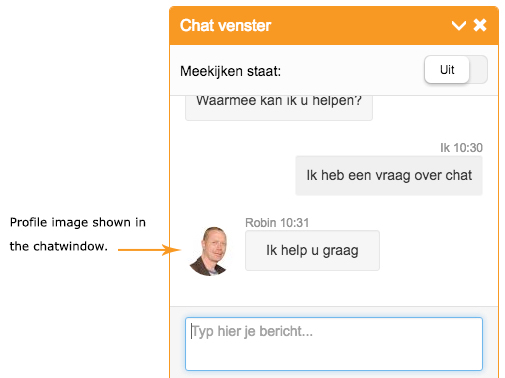
[ image example 1 ]
Profile square frame
If you want to show your profile in a square frame, you can add the following CSS lines in the desired chat campagne.
/* profile pucture square */
.img-circle {
border-radius: 0;
}
Comments
1 comment
I wanted to show the profile image in a square frame. This worked good.
Please sign in to leave a comment.