
Custom CSS is part of our Cobrowser V3. You can add custom CSS to your Cobrowser campaign using the “Custom CSS” field. Log in to App.Cobrowser.com → management → select your chat campaign → press the edit button → General settings you will find the Custom CSS field at the Chat Window settings.
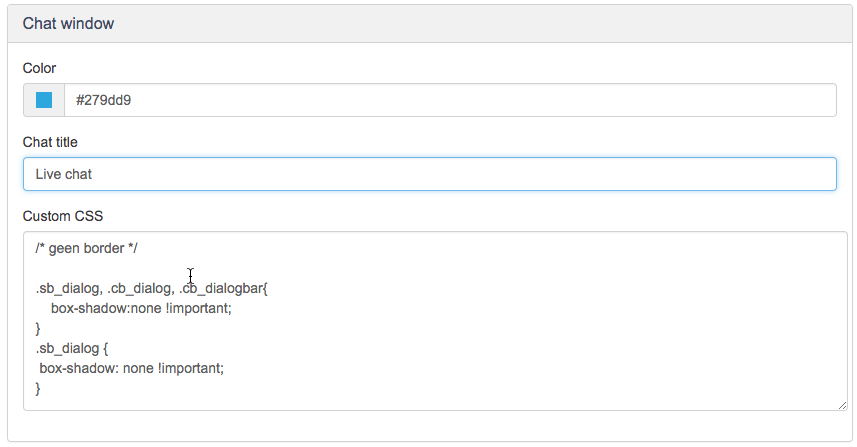
CSS stands for Cascading Style Sheets. It is a markup language that controls the appearance of HTML elements on a web page. There is nice potential to what you can do with CSS to modify the Cobrowser windows; pre-chat, chat, survey and proactive. Here you can find a few examples using CSS in the Custom CSS field. Making the best of this feature requires some knowledge of how CSS and HTML work. If you need our assistance please let us know.
Examples
Here you will find a few examples which are used frequently by our customers. If you understand CSS it is not so hard to create combinations of these examples.
No border
By default we have a border around the button and chat window. If you want no border just use this CSS code in the custom CSS field.
/* No border */
.sb_dialog, .cb_dialog, .cb_dialogbar{
box-shadow:none !important;
}
.sb_dialog {
box-shadow: none !important;
}
Operator and Visitor text position
When using below mentioned code, you will display the operator text on the left and the visitor text on the right. Also the background of the message can be changed.
/* message position of operator and visitor */
.cb_dialog .cb_conversation .cb_message_right {
float: right;
text-align: right;
padding-left: 20px;
}
.cb_dialog .cb_message_right .cb_messagecontent {
background-color: #EFEFEF;
}
.cb_dialog .cb_conversation .cb_message_left {
float: left !important;
padding-right: 20px !important;
}
.cb_dialog .cb_message_left .cb_messagecontent {
background-color: ##F6F6F6;
}
Change the size of the standard button width
Our standard button has a 363px width. If you want this smaller please use the below mentioned example code.
/* change standard button width */
.sb_dialog {
width: 300px; //choose the size
}
Change the size of the invite button width
/* chat and invite width */
.cb_dialog {
width: 300px; //choose the size
}
Pre-chat button color
If you want to change the pre-chat button color and/or text color, you would be using this example.
/* kleur knop pre-chat aanpassen */
.cb-pre-chat-button {
background-color: orange !important;
color: white !important;
}
Proactive chat button color
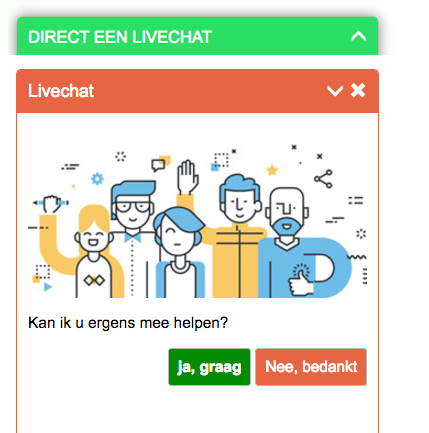
When displaying a proactive chat window. The visitor has the possibility to accept or decline the proactive chat. Here an example in how to change the button color of these two buttons.
/* kleur knop proactief aanpassen */
.cb_dialog button.cb_invitebutton_accept {
background-color: green;
color: white;
}
.cb_dialog button.cb_invitebutton_decline {
background-color: red;
color: white;
}
Comments
0 comments
Please sign in to leave a comment.