
How to add the visitor identifier using Javascript.
Customers need to run the following script in order to send the visitor identifier to the operator screen.
Samples of using visitor identifier:
-
_cb.push(['setVisitorIdentifier', 'HERE YOU CAN ADD WHATEVER YOU NEED: Name/phone/email']); -
_cb.push(['setVisitorIdentifier', 'Id test']); -
_cb.push(['setVisitorIdentifier', 'Jonas - +38033123456 - visitor@cobrowser.net'])
Good to mention that user should run this setVisitorIdentifier before starting the chat to take effect. It won't effect if you're running it during a chat conversation.
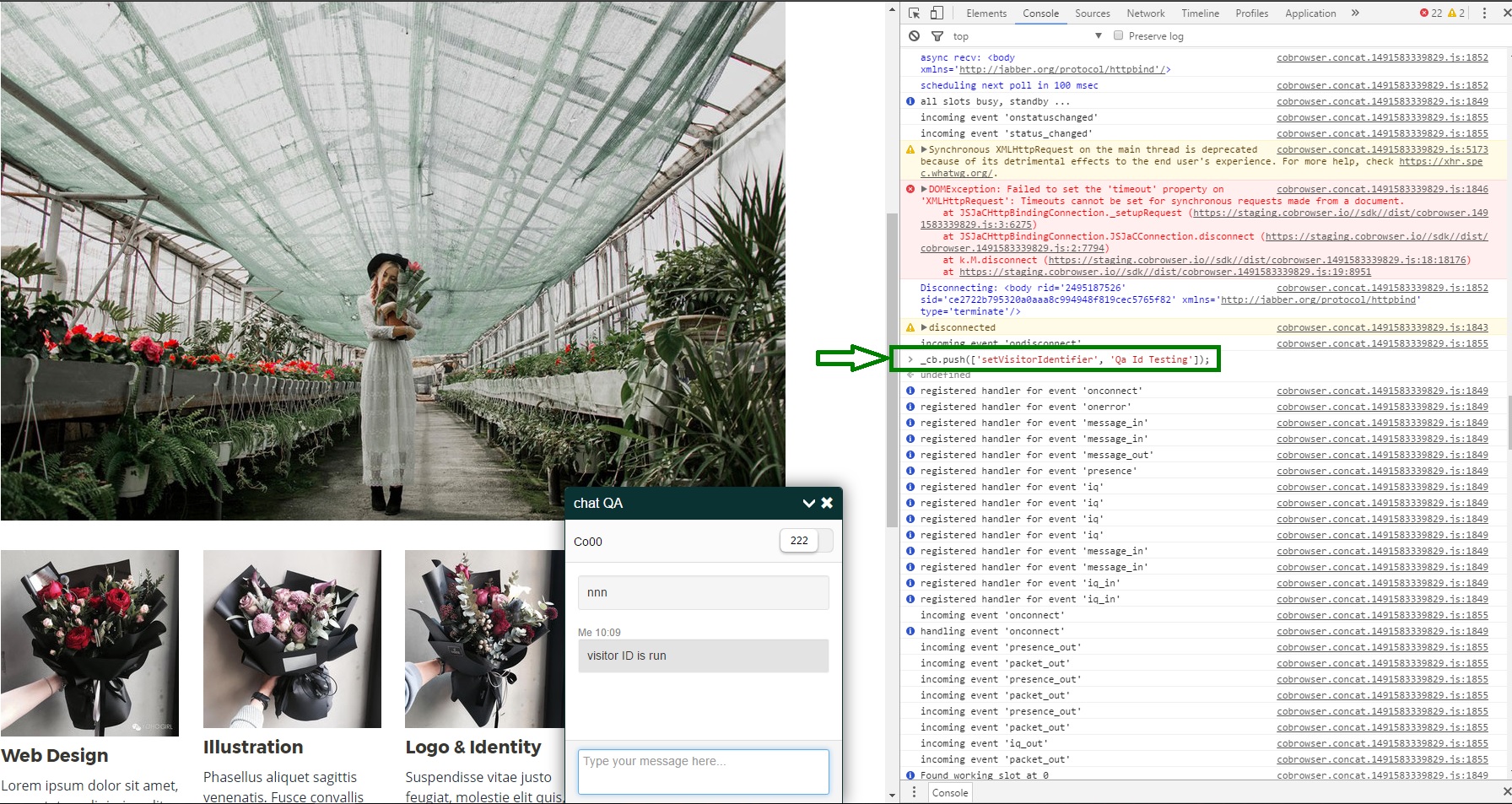
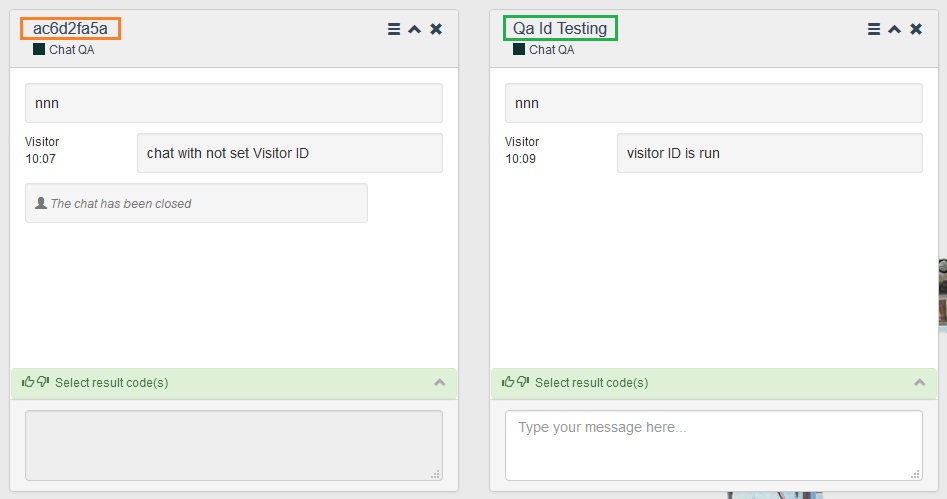
Applied Visitor Identifier information will be shown on the top of chat on the Operator`s page.
Comments
0 comments
Please sign in to leave a comment.